How to register with uplan
As soon as you sign up to uplan, you can create your projects and invite other users to the platform. Registration is free.
How to sign up
If you received an invitation to join uplan, accept the invite from within the email.
If you haven’t received an invitation, you can register with your email address and then create a new project or join an existing one.
- Go to www.uplan.io website
- Click to 'Get started'

- The sign-up page will open in a new tab
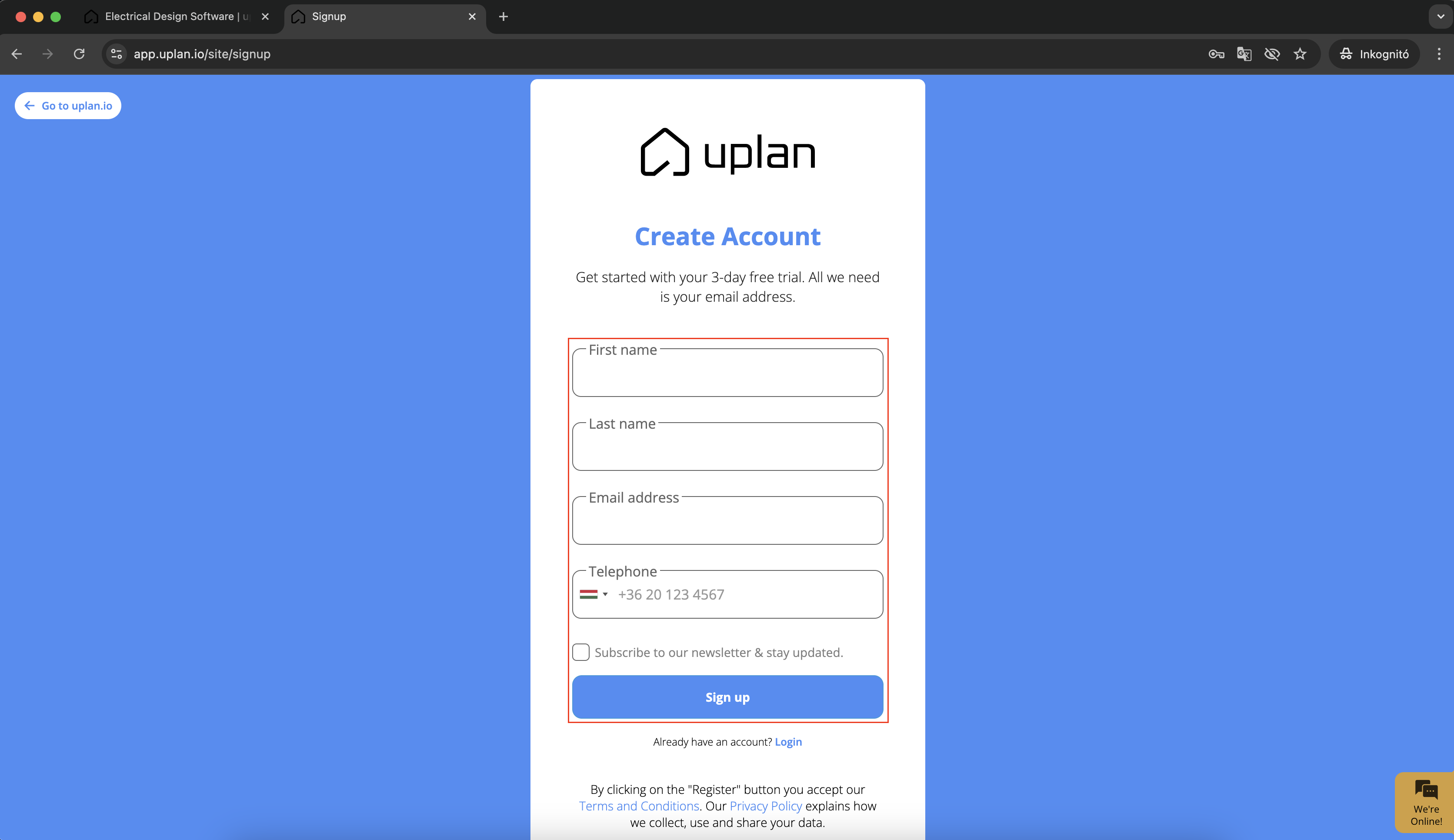
- Fill out the Names, Email address and Phone number fields
- Subscribe to our newsletter and stay updated
- Read the Terms and conditions and Privacy policy
- Click 'Sign up'
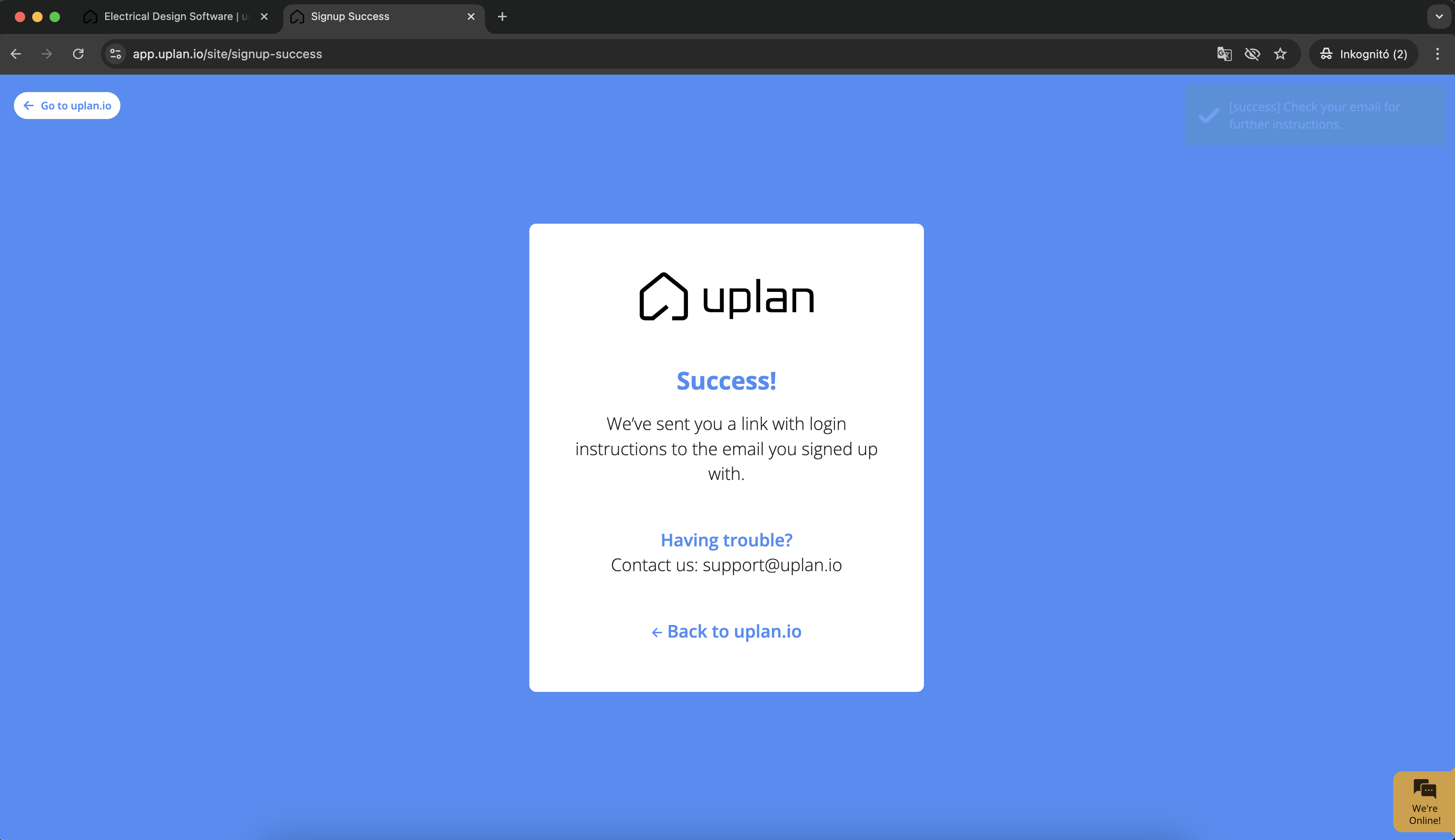
- uplan sent you a link with login instructions to the email you signed up with
- Open your mailbox and click on the link and log in to uplan
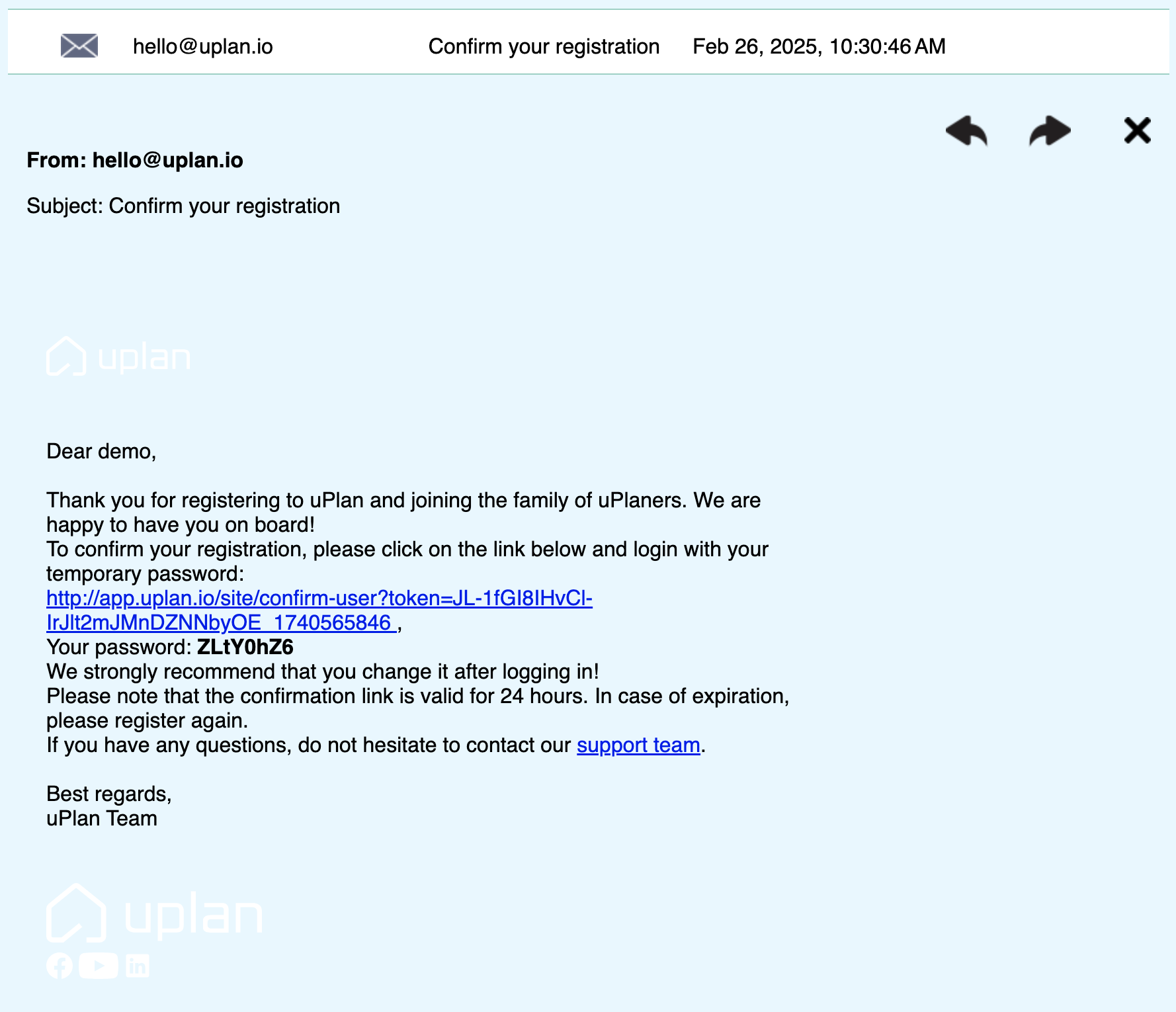
As you can see we are generated a temporary password for your account. You can use it for log in.

How to change your password
You can change your password at any time for security reasons or reset it if you forget it.
1. Open your Profile settings
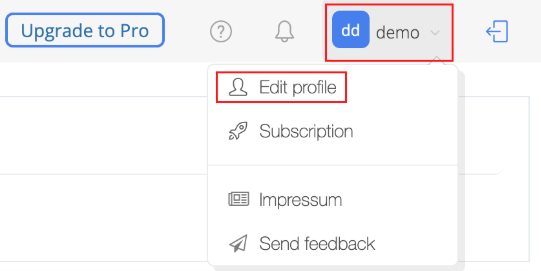
2. Scroll down to the Password section
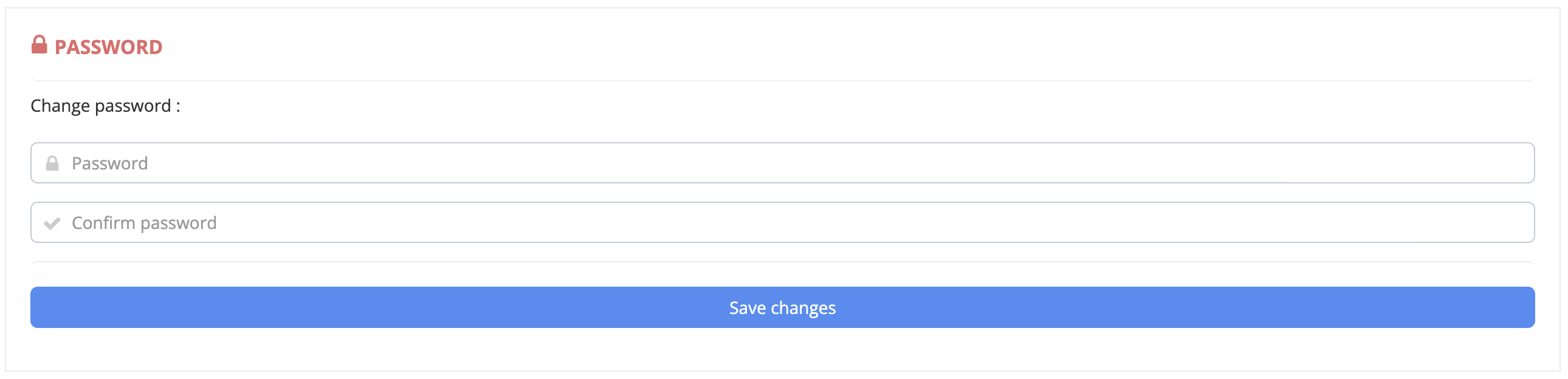
3. Enter your new password
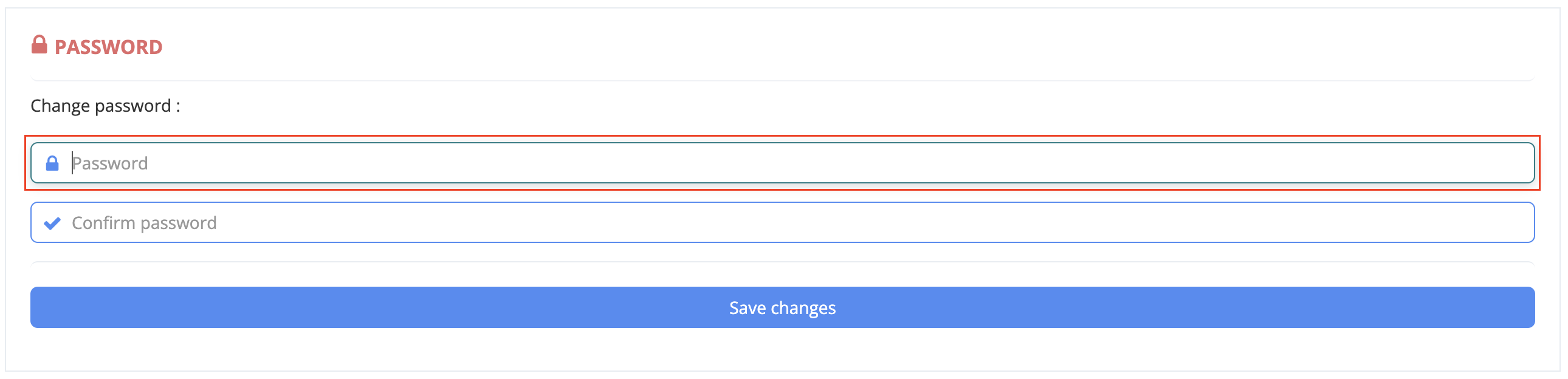
4. Confirm your new password by typing it again
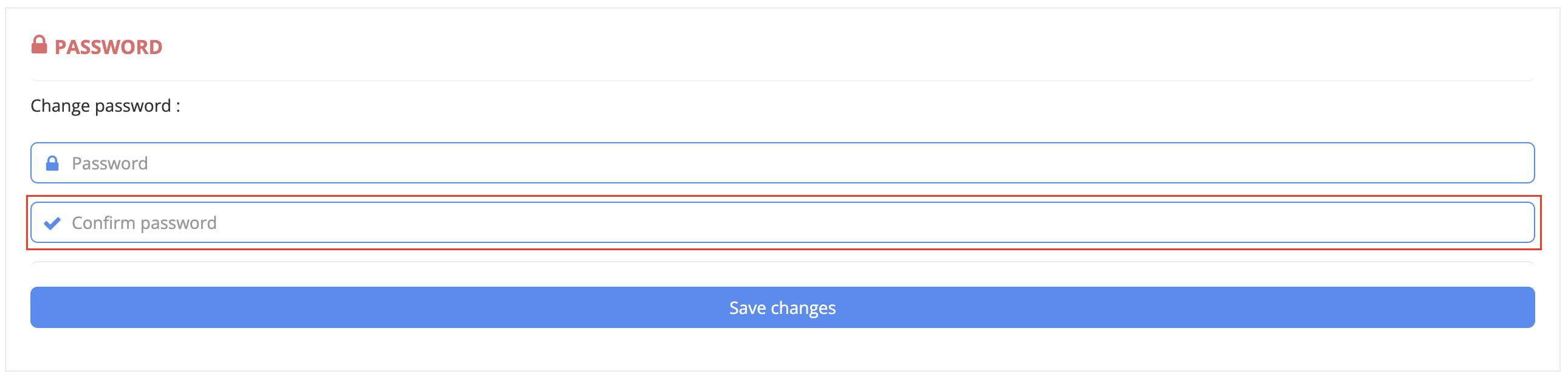
5. Confirm changes by clicking 'Save changes'.
- Go to www.uplan.io website
- Click to 'Get started'
- The sign-up page will open in a new tab
- Fill out the Names, Email address and Phone number fields
- Subscribe to our newsletter and stay updated
- Read the Terms and conditions and Privacy policy
- Click 'Sign up'
- uplan sent you a link with login instructions to the email you signed up with
- Open your mailbox and click on the link and log in to uplan
As you can see we are generated a temporary password for your account. You can use it for log in.
We strongly recommend that you change your temporary password after logging in!
How to change your password
You can change your password at any time for security reasons or reset it if you forget it.
1. Open your Profile settings
2. Scroll down to the Password section
3. Enter your new password
4. Confirm your new password by typing it again
5. Confirm changes by clicking 'Save changes'.